Mastering 3D Design: Your Complete Guide to Creating Models
Welcome to the exciting world of 3D design! Whether you're a curious beginner, an aspiring innovator, or a business looking to prototype new products, understanding how to create 3D models is the fundamental first step in bringing your ideas into the physical realm. In Ireland and across Europe, the demand for custom 3D printed objects, intricate prototypes, and personalised gifts is soaring, and it all starts with a well-conceived 3D design.
This comprehensive guide will demystify the process of 3D design, taking you from a basic concept to a print-ready file. We'll explore essential tools, fundamental techniques, and crucial considerations for successful 3D modelling. You'll learn how to choose the right software, sculpt intricate details, and prepare your models for optimal 3D printing results. By the end of this guide, you'll not only have a solid grasp of 3D design principles but also understand how to design 3D models for 3D printing, setting you on the path to transforming your creative visions into tangible objects. Ready to unlock your creative potential and make your 3D dreams a reality? Let's dive in!
Who This Is For
- Aspiring Makers & Hobbyists: Eager to learn the basics of 3D modelling for personal projects.
- Entrepreneurs & Startups: Needing to design prototypes or custom parts for their business.
- Educators & Students: Exploring 3D design for educational purposes or school projects.
- Design Enthusiasts: Looking to deepen their understanding of 3D design principles and software.
- Anyone without a 3D Printer: Who wants to learn how to create designs and then use services like PrintIn3D.ie to bring them to life.
Step 1: Understanding the Foundation of 3D Design – From Concept to Purpose
Before you even open a piece of software, the most critical step in 3D design is to clearly define your project. What is it you want to create? What problem does it solve? Who is it for? Having a clear concept and understanding its intended purpose will guide every decision you make throughout the design process, saving you time and preventing costly errors down the line. This initial ideation phase is crucial for any successful 3d design project.
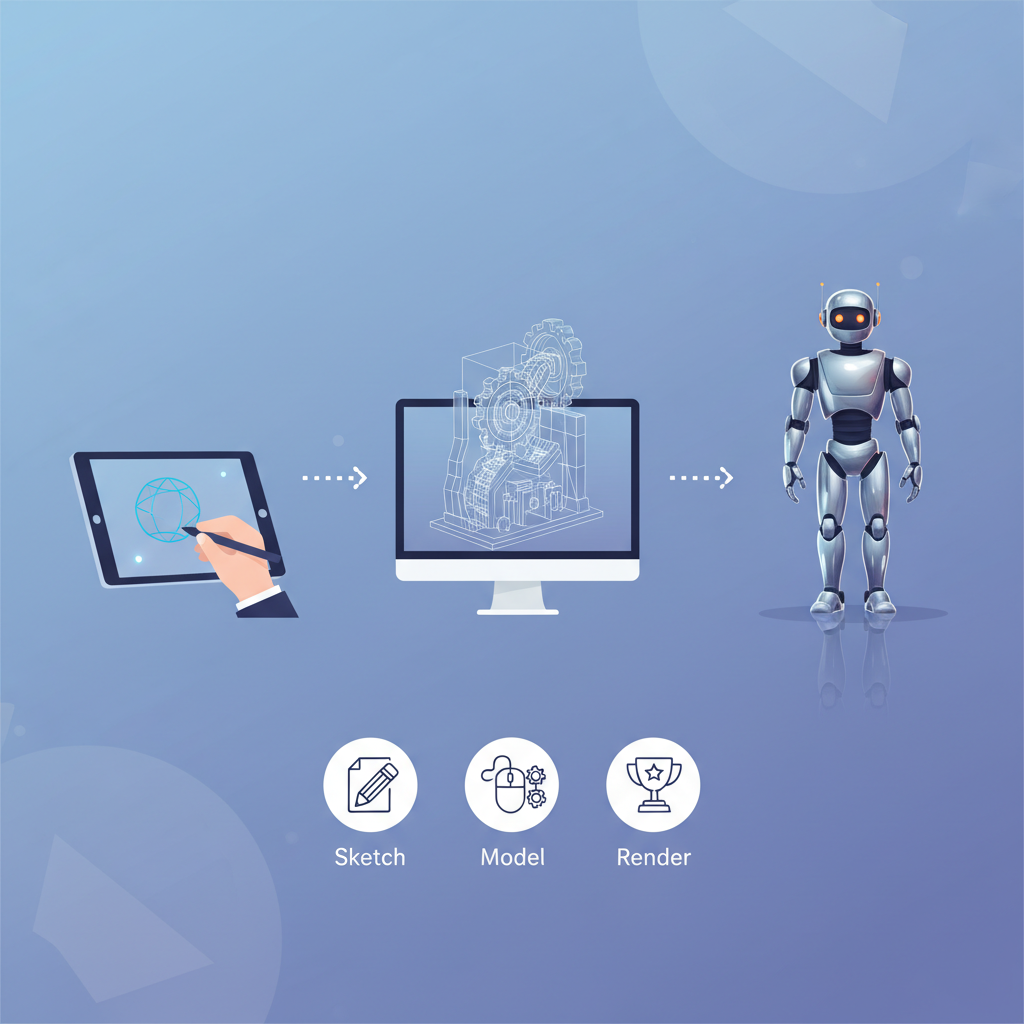
Consider the functional requirements: Will your object need to withstand stress? Connect with other parts? Be aesthetically pleasing? Sketching your ideas on paper is an excellent way to visualise your concept and explore different forms and features. Don't worry about perfection at this stage; focus on capturing the essence of your idea. This initial blueprint will serve as your roadmap when you transition to digital modelling.
- Define Your Goal: What do you want your 3D model to do or be? Is it a functional part, a decorative item, a prototype, or a gift? For example, creating custom 3D printed gifts Ireland requires a different approach than designing a mechanical component.
- Sketch Your Idea: Use pen and paper to rough out your design from multiple angles. Include basic dimensions and annotations if possible.
- Identify Key Features: List the essential elements and functionalities your model must have.
- Consider Material & Manufacturing: Even at this early stage, think about how the object will be made (e.g., 3D printing) and what material (e.g., PLA, PETG, ABS) might be suitable. This informs design choices for structural integrity and printability.
Step 2: Choosing the Right 3D Design Software for Your Project
The world of 3D design software is vast, with tools catering to every skill level and project type. Selecting the appropriate software is crucial for an efficient and enjoyable design experience. Broadly, these tools fall into a few categories: parametric CAD (Computer-Aided Design) for precision and engineering, sculpting software for organic shapes, and more artistic modelling tools. Your choice will depend heavily on the nature of your project and your comfort level with design principles.
For beginners, free and user-friendly options are a great starting point. As you advance or if your projects demand high precision, investing time into more powerful commercial software becomes worthwhile. Remember, no single software is perfect for every task, so some designers use a combination of tools for different stages of their workflow.
- Beginner-Friendly (Free/Low Cost):
- Tinkercad: Web-based, excellent for absolute beginners due to its intuitive block-building approach. Ideal for simple shapes and learning basic concepts.
- Fusion 360 (Free for hobbyists/startups): A powerful CAD software that combines parametric modelling, sculpting, and CAM (Computer-Aided Manufacturing) tools. Offers a great balance of features for functional designs.
- Blender (Free & Open Source): While known for animation and rendering, Blender also has robust modelling tools suitable for both organic and hard-surface designs. It has a steeper learning curve but offers immense possibilities.
- Professional & Advanced (Paid):
- SolidWorks/AutoCAD: Industry standards for professional CAD design for manufacturing, engineering, and architectural projects, offering unparalleled precision and robust feature sets.
- Rhino 3D: Known for its versatility and ability to handle complex free-form surfaces. Popular in product design, architecture, and jewellery.
- ZBrush: The go-to for digital sculpting, allowing artists to create highly detailed organic shapes, characters, and intricate textures.
- Consider Your Project Type: If you're designing functional parts with precise dimensions, CAD software like Fusion 360 or SolidWorks is best. For figurines, art, or organic shapes, sculpting software like Blender or ZBrush might be more suitable.
Step 3: Mastering the Fundamentals of 3D Modelling
Once you've chosen your software, it's time to dive into the core techniques of 3D modelling. Most 3D models are built from primitive shapes (cubes, cylinders, spheres) that are then manipulated, combined, and refined. Understanding these basic operations is crucial, regardless of the software you use, as they form the building blocks of virtually any complex model you'll create.
Familiarising yourself with the software's interface and navigation is the first practical step. Spend time learning how to move, rotate, and zoom around your workspace. Then, practice creating, editing, and combining basic geometric forms. These foundational skills are essential before attempting more intricate designs.
- Basic Geometric Primitives: Start by creating cubes, spheres, cylinders, and cones. Learn how to resize and position them accurately.
- Extrusion & Revolution:
- Extrusion: Take a 2D shape (like a square or circle) and pull it out into 3D (making a cube or cylinder). This is fundamental for creating forms from flat sketches.
- Revolution: Rotate a 2D profile around an axis to create symmetrical 3D objects, like a vase or a chess piece.
- Boolean Operations: Learn to combine, subtract, or intersect shapes. These are powerful tools for creating complex geometries from simpler ones.
- Union: Merges two or more objects into a single one.
- Subtract (Difference): Removes one object from another, creating holes or cut-outs.
- Intersect: Creates a new object from the overlapping volume of two or more objects.
- Fillets & Chamfers: Add rounded edges (fillets) or bevelled corners (chamfers) to your designs for aesthetics, safety, and to reduce stress points, especially important for custom prototype manufacturing Ireland.
- Practice with Tutorials: Follow beginner tutorials specific to your chosen software. There are countless free resources available online (YouTube, software documentation, forums).
Step 4: Refining Your Design: Precision, Detail, and Printability
Once you have the basic form of your model, the next stage involves refining it with precision and adding necessary details. This is where your initial concept and understanding of the object's purpose become paramount. Accuracy in dimensions, proper tolerances for assembled parts, and considering the physical properties of the material are critical, particularly if your design is intended for functional use or custom 3D printing.
Pay close attention to wall thickness, overhangs, and small features, as these can significantly impact the success of a 3D print. Understanding the limitations and capabilities of 3D printing technology will help you design models that are not only aesthetically pleasing but also manufacturable.
- Measure & Dimension: Use the measuring tools within your software to ensure all dimensions are accurate. If designing parts that fit together, allow for proper tolerances (e.g., 0.2-0.5mm gap for interlocking parts depending on printer accuracy and material).
- Wall Thickness: Ensure all walls and features have sufficient thickness for stability, typically at least 1-2mm for most FDM 3D prints, depending on material and size. Thinner walls can be fragile.
- Overhangs & Supports: Identify areas of your model that hang unsupported in mid-air (overhangs). These will likely require support structures during 3D printing. Design to minimise overhangs where possible to reduce material waste and post-processing.
- Detailing: Add fine details, textures, or engravings as needed. Ensure these details are large enough to be resolved by the 3D printer nozzle (e.g., lines should be thicker than the nozzle diameter).
- Consider Material Properties: Different materials behave differently. For instance, designing for flexibility (e.g., TPU) requires different considerations than designing for rigidity (e.g., PLA or PETG filament).
- File Clean-up: Remove any internal geometry, overlapping faces, or non-manifold edges that could cause issues during slicing for 3D printing. Many software packages have tools to check for and fix these issues.
Step 5: Preparing Your Model for 3D Printing
Once your 3D design is complete, the next crucial step is preparing it for the 3D printer. This involves exporting it in a compatible format and, if you're printing yourself, using slicing software. If you're utilising a 3D printing service like PrintIn3D.ie, this step is often simplified, as we handle the slicing and optimisation for you. However, understanding the fundamentals is always beneficial.
The transition from a raw 3D model to a print-ready file requires attention to detail regarding mesh integrity and orientation. A poorly prepared file can lead to significant print failures, wasting both time and material. This step bridges the gap between your digital creation and its physical manifestation.
- Export to STL or OBJ: The most common file formats for 3D printing are STL (Stereolithography) and OBJ (Object). Ensure your software exports a watertight (manifold) mesh, meaning there are no holes, internal geometry, or flipped normals.
- Check Mesh Integrity: Many 3D design programs have a "mesh analysis" or "printability check" tool. Use it to identify and repair any errors that could cause problems during slicing. Online tools like Meshmixer or Netfabb can also help.
- Orientation for Printing: Consider the optimal orientation of your model on the print bed to minimise the need for supports, reduce print time, and maximise structural integrity.
- Position the model to have the largest flat surface on the build plate.
- Minimise steep overhangs that would require excessive supports.
- Orient parts for strength, considering how layers are laid down.
- Slicing Software (If Printing Yourself): If you own a 3D printer, you'll use a slicer (e.g., Cura, PrusaSlicer, Bambu Studio) to convert your STL/OBJ file into G-code. This involves:
- Setting Layer Height: Thinner layers provide more detail but take longer to print.
- Infill Density & Pattern: Determines the internal structure and strength of your print.
- Supports & Adhesion: Configure support structures for overhangs and raft/brim/skirt for bed adhesion.
- Material Settings: Select the correct filament type (e.g., PLA, PETG, ABS) and adjust temperature settings accordingly. If you're looking to buy 3D printer filament, ensure your design is suited for it.
- Consider PrintIn3D.ie's Services: If you don't have a 3D printer, simply upload your STL or OBJ file to our print 3d model 3d printing service. Our experts handle the slicing, optimisation, and printing with high-quality filaments like SUNLU PLA filament or Bambu Lab PLA basic refill for the best results.
Step 6: Iterating and Prototyping Your Designs
The journey from concept to a perfectly realised 3D object is rarely linear. Iteration is a fundamental part of the design process, especially when creating functional parts or complex prototypes. Designing, printing, testing, and then refining your model is a cycle that leads to improved performance, aesthetics, and overall success. This iterative approach is what drives innovation in custom prototype manufacturing Ireland.
Even experienced designers expect to make multiple versions of a product before reaching the final design. Embrace mistakes as learning opportunities. Each iteration brings you closer to your ideal outcome, making the final product more robust and fit for purpose.
- Print a Test Piece: For critical components or complex assemblies, print a small-scale version or a specific problematic section first. This can reveal design flaws quickly and cheaply.
- Physical Testing: Once printed, physically interact with your prototype. Does it fit? Does it move correctly? Does it withstand the intended forces? This is where theoretical design meets real-world application.
- Gather Feedback: Share your prototype with others (colleagues, potential users, friends). Objective feedback can highlight areas for improvement you might have overlooked.
- Revise Your Design: Based on testing and feedback, go back to your 3D design software and make necessary adjustments. This could involve tweaking dimensions, strengthening weak points, improving ergonomics, or refining aesthetics.
- Repeat: Continue the design-print-test-revise cycle until your model meets all requirements. Sometimes, even minor changes can necessitate another print cycle.
- Consider Different Filaments: During prototyping, you might start with an affordable filament like PLA. As your design solidifies, you might switch to a more durable or specific material like PETG filament for outdoor use or Bambu Lab PLA matte refill for a specific finish. If you need robust parts, knowing where to buy ABS filament Ireland is crucial.
Step 7: When to Seek Professional 3D Design Services
While this guide empowers you to embark on your 3D design journey, there are times when professional expertise is invaluable, if not essential. Complex projects, tight deadlines, or a lack of specific skills can all point towards the benefit of engaging with experienced 3D designers. PrintIn3D.ie offers comprehensive 3d design services, transforming your ideas, sketches, or even existing objects into precise, print-ready 3D models.
Knowing when to outsource allows you to leverage expert knowledge, advanced software, and efficient workflows, ensuring your project meets professional standards and is optimised for manufacturing. This is particularly true for specialised fields like professional CAD design for manufacturing or intricate reverse engineering 3d scan service needs.
- Complex Geometries: When your design involves intricate curves, precise mechanical movements, or requires advanced mathematical accuracy that's beyond your current software or skill set.
- Time Constraints: If you have a tight deadline for a prototype or product launch and don't have the time to learn complex software or design from scratch.
- Lack of Specific Software/Skills: You might have a great idea but lack access to advanced CAD software or the expertise in areas like surface modelling, FEA (Finite Element Analysis), or DfAM (Design for Additive Manufacturing).
- Reverse Engineering: If you need to replicate an existing physical object but don't have its digital file, a professional 3D body scanning service or object scanning service can create an accurate 3D model. This is especially useful for parts that no longer have blueprints or CAD files.
- Optimisation for Manufacturing: Professional designers can optimise your model for specific manufacturing processes (e.g., injection moulding, CNC machining, or 3D printing), ensuring it's cost-effective and structurally sound.
- Confidentiality Requirements: For sensitive projects, professional services often offer NDAs (Non-Disclosure Agreements) to protect your intellectual property.
- Need for "How to Get a 3D Model Made" Assistance: If you have a concept but don't know where to start, professional designers can take your idea from a sketch or description to a fully realised 3D model.
Common Mistakes to Avoid in 3D Design
Even with the best intentions and tools, pitfalls exist in 3D design. Being aware of these common mistakes can save you frustration, time, and material during the design and printing phases.
- Ignoring Printability: Designing complex overhangs, extremely thin walls, or intricate details without considering how a 3D printer will actually build them. Always design with the manufacturing process in mind.
- Non-Manifold Geometry: Creating models with holes, flipped normals, or internal faces. These "non-watertight" meshes confuse slicing software and can lead to errors or unprintable models.
- Incorrect Scaling/Units: Designing in one unit (e.g., inches) and exporting in another (e.g., millimetres) without proper scaling can result in wildly incorrect print sizes. Always confirm your units.
- Insufficient Tolerances: When designing parts that fit together, neglecting to add small gaps (tolerances) between mating surfaces. Without these, parts will either not fit or fuse together during printing.
- Over-Complicating Designs: Trying to make a design overly complex when a simpler solution would suffice. Simplicity often leads to more robust and easier-to-print models.
- Skipping Iteration: Expecting the first design to be perfect. The iterative process of designing, printing, testing, and refining is crucial for successful outcomes.
- Neglecting Material Properties: Designing a part that requires high strength or flexibility but then printing it in a material that doesn't possess those properties. Always consider the best filament for 3D printing for your specific application.
- Poor File Management: Not saving versions of your design, leading to loss of work or inability to revert to an earlier, stable design.
FAQ
How much does it cost to get a 3D model made?
The cost of getting a 3D model made varies widely depending on complexity, detail, the designer's experience, and the software used. Simple models from a clear sketch might cost €50-€150, while highly intricate designs or professional CAD design for manufacturing can range from hundreds to thousands of euros. Factors like intellectual property rights, revisions, and the urgency of the project also influence the final price. At PrintIn3D.ie, we offer custom 3D design services and provide clear estimates based on your specific requirements. We can help with "how to get a 3d model made" efficiently.
What is the easiest software for 3D design for beginners?
For absolute beginners, Tinkercad is widely considered the easiest 3D design software. It's web-based, free, and uses a straightforward block-building approach, making it intuitive to learn. For slightly more advanced but still beginner-friendly functional designs, Fusion 360 offers a free hobbyist license and a wealth of tutorials, providing a solid foundation in parametric modelling.
Can I turn a 2D image or sketch into a 3D model?
Yes, absolutely! Turning a 2D image or sketch into a 3D model is a common practice in 3D design. Designers use sketches as a reference to trace outlines and then extrude or revolve them into 3D forms. More complex images can be imported into CAD software, where points and lines are manually converted into a 3D mesh. For very complex or organic shapes, professional 3D scanning in Ireland or a reverse engineering 3d scan service might be employed to create an accurate digital replica of a physical object, which can then be refined and modified.
What is the best filament for 3D printing prototypes?
For most prototypes, PLA (Polylactic Acid) is considered the best filament for 3D printing. It's affordable, easy to print with, comes in a vast array of colours, and has minimal warping. However, if your prototype needs more durability, heat resistance, or flexibility, you might consider other options. PETG filament offers better strength and temperature resistance than PLA, while ABS (if you know where to buy ABS filament Ireland) provides even higher durability and heat resistance, though it can be trickier to print. The "best" choice depends on the specific requirements of your prototype.
How long does it take to learn 3D design?
Learning the basics of 3D design, such as creating simple shapes and understanding software interfaces, can take a few hours to a few days. Becoming proficient enough to create moderately complex designs might take weeks or months of consistent practice. Mastering advanced techniques and professional software can be a continuous journey spanning years. The key is consistent effort, patience, and working on projects that challenge you gradually. Don't be afraid to start simple and build your skills over time.
Next Steps / CTA
You've now got a solid foundation in 3D design, from conceptualisation to preparing your models for print. Ready to see your designs come to life? Whether you need professional assistance to get a 3D model made or you're simply looking for reliable 3D printer filament, PrintIn3D.ie is your trusted partner. Visit our homepage today to upload your design for custom 3D printing, explore our filament range, or enquire about our expert 3D design services.